


MP380
- Bluetooth 5.0 ensures wider transmission range but lower energy consumption
- Two large-capacity batteries offer up to 8-hour playback time per charge
- Aluminum alloy metal surface provides durable and mighty protection
- The input includes U disk, TF card and AUX multi-audio sources
- USB hub for multi-function use of easy to connect electronic devices
- Built-in microphone makes it easy and convenient for calls
- Mobile phones can be synchronized for incoming calls
Rp349
Stok habis
Stok habis
Also Available Here
Share


Edifier MP380

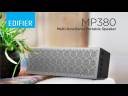
MP380 Intro
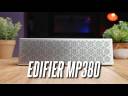
Sean Talks Tech
Tech Critter
Joshua Wong






| Specification | MP380 Portable Speaker |
|---|---|
| Power Output | 10W+10W |
| Input Type | Bluetooth, AUX, TF Card, U-Disk, Sound Card |
| Bluetooth Version | V5.0 |
| Frequency Response | 75Hz - 20KHz |
| Sound Pressure | ≤ 7% |
| Input Sensitivity | AUX: 700± 50mV Bluetooth: 700 ± 50mFFS USB Sound Card: 700 ± 60mFFS |
| Singal to Noise Ratio dB(A) | R/L ≥ 85dB(A) |
| Supported File Format | MP3, WAV, WMA, FLAC, APE |
| Measurement | 247mm(W) x 38mm(D) x 72.3mm(H) |
| Net Weight | 0.688KG |
MP380 FAQ:
A: Press the power button once to switch mode.
A: Disable “absolute volume” from your smartphones to solve this issue
1. Unpair your bluetooth speaker first.
2. Go to Settings.
3. Select “Additional Settings”
4. Select “Developer options”
5. Find and check on the “Disable absolute volume”
6. Restart your phone and try connect again
A: Make sure there is no other device connected to the speaker's Bluetooth. If someone has connected it you can press and hold the Bluetooth button for 6 seconds to clear the bluetooth cache and disconnect from the device.
Recently Viewed
You haven't viewed at any of the products yet.
Buy Now