


A80
- Qualcomm’s Bluetooth V5.0 chipset
- Class D amplifier with digital signal processing (XMOS) system.
- 4.5inch aluminum cone mid-woofer driver.
- 18-mm thick high-strength MDF cabinet with beautiful walnut finish.
- Frequency response ranges from 52Hz to 40KHz.
- Active HiFi speakers with Hi Res audio and versatile connections; Bluetooth, AUX, PC, USB and fiber optic.
- 30mm diameter voice coil
- Multi-core signal processor XMOS XU216.
- Up to 2000MIPS processing horse-power.
- Transparent audiophile grade speaker cable made in the USA for internal wiring.
Rp2,599
Stok habis
Stok habis
Also Available Here
Share


Airpulse A80 Active Speaker Airpulse A80 Active Speaker

A80 Videos
A80 Intro
totallydubbedHD
Richard Tech
feverSound.com影音產品評測


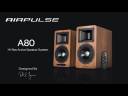

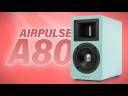



| Specifications: | Airpulse A80 bookshelf Speakers |
|---|---|
| Tweeter | Horn Loaded Ribbon Tweeter |
| Mid-Woofer | 4.5 inch Aluminium Cone 30mm VC Mid-Woofer |
| Amplifier System | Digital Amplifier with Xmos Processor |
| Power Output | L/R(treble): 10W+10W, L/R(Woofer): 40W + 40W |
| Frequency Range | 50Hz-40KHz |
| Signal-Noise Ratio | L/R:≥90dB(A) |
| Input Mode | AUX,PC,USB,Optcal, Bluetooth (The USB, Optical Inputs support up to 192KHz Input Sample Rate) |
| Input Sensitivity | AUX:450±50mV PC:550±50mV, USB:400±50mFFs, Optical:400±50mFFs Bluetooth:500±50mFFs |
| Sub Out | 1200mV Max |
| Main Voltage | AC 100-240 V /50-60 Hz |
| Cabinet Size (WxHxD) | 140x250x220mm |
| Net Weight | 9.3 Kg(20lbs) /pair |
Airpulse A80 Speaker FAQ:
A: Yes. you can connect to your TV via RCA cable, Optical or AUX cables. Please check your TV audio out port to see if it support these connectors.
A: Please check your speaker input mode. you can press the volume knob on the speaker to change mode. the LED indicator will change to represent current mode.
A: Press and hold the volume knob for approx. 8-10 seconds to clear Bluetooth Pairing. then you can pair with your phone/device.
A: Try change the battery and see if it works.
A: They are differ in sizes and power. A200 and A300 are much bigger than A80 and A100, More suitable for living room; A80 and A100 are smaller, suitable for desktop and small room.
A: Yes. you can connect sub-woofer via the sub-out port at the back of the speaker.
A: Disable “absolute volume” from your smartphones to solve this issue
1. Unpair your bluetooth speaker first.
2. Go to Settings.
3. Select “Additional Settings”
4. Select “Developer options”
5. Find and check on the “Disable absolute volume”
Restart your phone and try connect again
Recently Viewed

R1700BT
Rp649
Masukkan Keranjang
Produk ini memiliki beberapa varian. Pilihan ini dapat diambil di halaman produk
Buy Now